4.7GuidePart of How to migrate from WordPress to Astro or EmDash without losing content or URLs
EmDash vs WordPress in 2026: what is ready, what is missing
EmDash is an Astro-based CMS with a browser admin and sandboxed plugins. Here is how it differs from WordPress, what is ready in 2026, what is still missing, and which one fits your site.
On this page10 sections
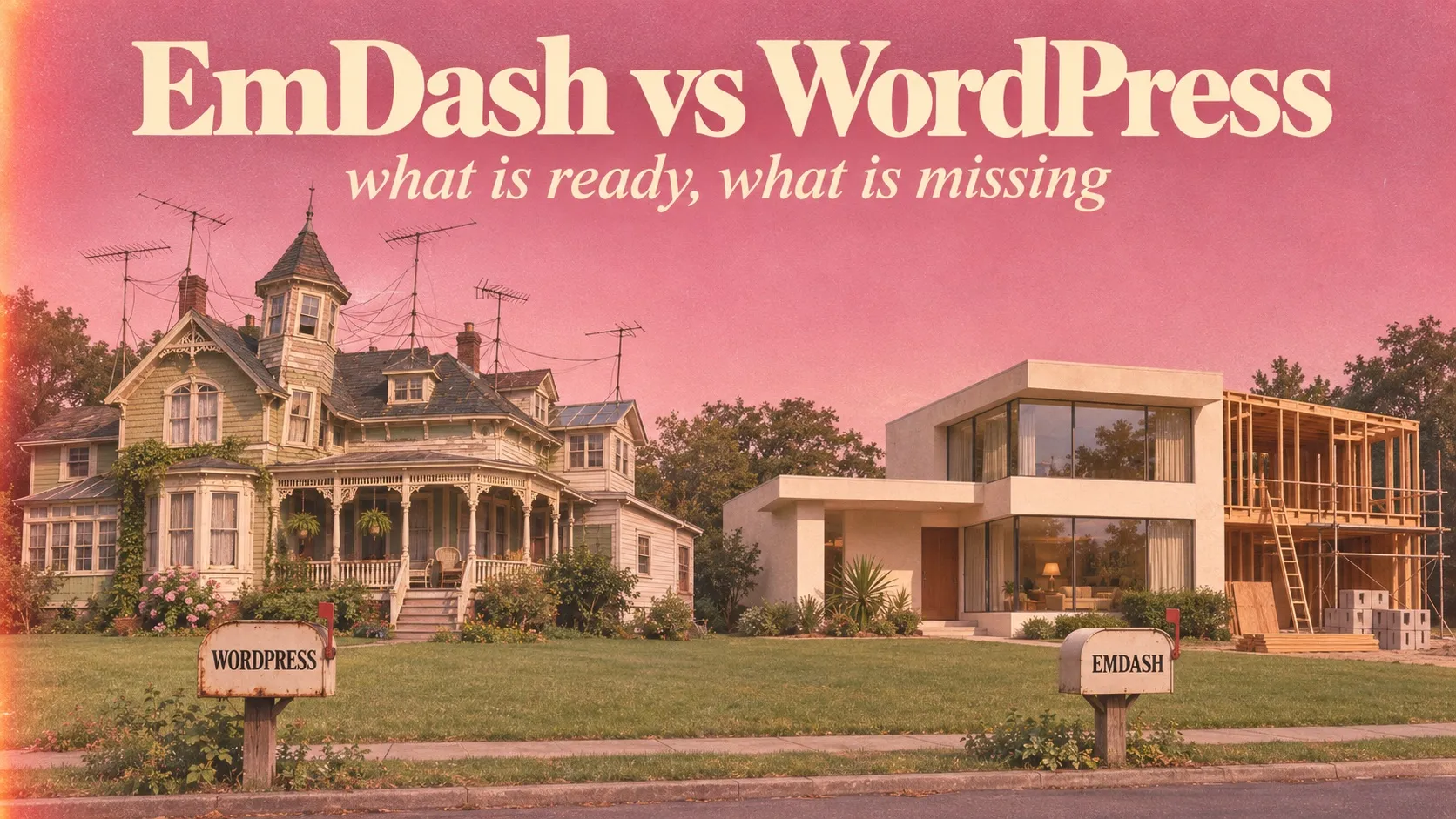
WordPress usually builds each page on a server when someone visits, from a database and whatever plugins you installed. EmDash is a content system built on Astro: like WordPress it has an admin, editors and plugins, but its plugins can run in a sandbox with only the permissions they ask for. It is also much younger. Pick WordPress if your site depends on plugins or a store; consider EmDash if it is mostly content and you can live with a new platform.
In this guide, “WordPress” means self-hosted WordPress: the free software from wordpress.org that you install on your own host. WordPress.com is a hosted service built on it, with its own plans and limits.
Checked November 10, 2026, against EmDash 1.4.
What is EmDash?
EmDash is a CMS, short for content management system: software for writing, editing and publishing a site’s content without touching code. It is built on Astro, a framework for building websites.
Cloudflare announced it on April 1, 2026, as an early preview, and called it “the spiritual successor to WordPress”. It is open source under the MIT license. Version 1.0 came out later that month.
Three facts to start with:
- The admin lives at
/_emdash/admin/on your own site. - Login uses passkeys by default: your device’s fingerprint, face or PIN instead of a password. A magic link by email and GitHub, Google or Microsoft sign-in are options too (authentication docs).
- It runs on Cloudflare Workers or on a Node.js server (getting started).
So EmDash is not “WordPress rewritten”. It is Astro with an admin and a database added. To see what that means for your site, start one level down, with how each one builds a page.
How WordPress works
WordPress is written in PHP, a language that runs on the web server. On each visit, the server runs WordPress. WordPress loads your theme and plugins, asks the database for the content, and builds the page. This is called server rendering: the page is made at the moment someone asks for it.
That costs time on every visit, so most WordPress sites add a page cache. A caching plugin or the host saves a finished copy of each page and sends that instead. Static-export plugins go further and turn the whole site into plain files.
Everything else lives in one database too: posts, pages, users, settings and the data each plugin stores.
How Astro works
By default, Astro builds every page ahead of time. You run astro build, and it turns your files (Markdown, MDX, components) into plain HTML files. You put those files on a CDN, a network of servers that sends a saved copy from somewhere near the visitor. Nothing runs when someone visits. This is a static build.
Astro can also render pages on a server, one page at a time or the whole site. That is the mode EmDash uses.
Content in a plain Astro site lives in content collections: folders of Markdown files, with a schema in src/content.config.ts that says which fields each entry has. You edit them in a code editor and publish with Git.
What EmDash adds on top of Astro
EmDash adds the parts a plain Astro site leaves out:
- An admin in the browser, with an editor, drafts, scheduling, previews and revisions.
- A database for entries, users and settings. SQLite, Cloudflare D1, libSQL and PostgreSQL are supported.
- A media library, stored in a local folder or in object storage such as Cloudflare R2 or Amazon S3.
- Plugins, in two kinds (more below).
Rich text is stored as Portable Text, a JSON format that keeps text and structure apart, not as HTML.
To make edits show up without a rebuild, EmDash needs Astro’s server mode. Each page asks a live collection for its content when someone visits, and the live collection reads the database (architecture). A route cache can save finished pages, but it is off until you set one up. When you publish, unpublish or delete an entry, EmDash clears that cache.
WordPress
On every visit
Visitor asks for a page
Server runs PHP
WordPress loads plugins
Database query
HTML page
Page cache: a saved copy skips the middle steps.
Plain Astro
Once, at build time
Markdown and other files
astro build
HTML files on a CDN
Visitor gets the saved page
No server or database runs when someone visits.
EmDash
On every visit
Visitor asks for a page
Astro on a server (Workers or Node.js)
Live collection query
Database
HTML page
Route cache, if you set one up, skips rendering. Editors use the admin at /_emdash/admin/, which writes to the same database.
So EmDash’s request flow looks more like WordPress than like a plain Astro site. The difference is what runs in the middle: Astro components, not PHP and a stack of plugins.
How EmDash plugins work
A plugin is an add-on that gives a site a feature it did not ship with. EmDash has two kinds (plugin formats):
- Sandboxed plugins declare what they need up front, such as reading content or calling one named host. A sandbox is a walled-off space where code can reach only what it was given. EmDash’s sandbox blocks direct network calls and access to the server’s secrets, and limits how long a plugin may run.
- Native plugins run inside your site’s own process, without the sandbox. They can do anything your site can, like a WordPress plugin.
Sandboxed plugins need a runner, the piece that runs the sandbox. Two ship with EmDash: one for Cloudflare Workers, through Cloudflare’s Worker Loader, and one for Node.js, through workerd. With no runner set, sandboxed plugins do not load. The rest of the site keeps working.
WordPress pluginRuns inside WordPress
Sandbox: only declared capabilities. Direct fetch() and process.env are blocked.
EmDash sandboxed pluginRuns in a sandbox
EmDash native pluginRuns in the site's process
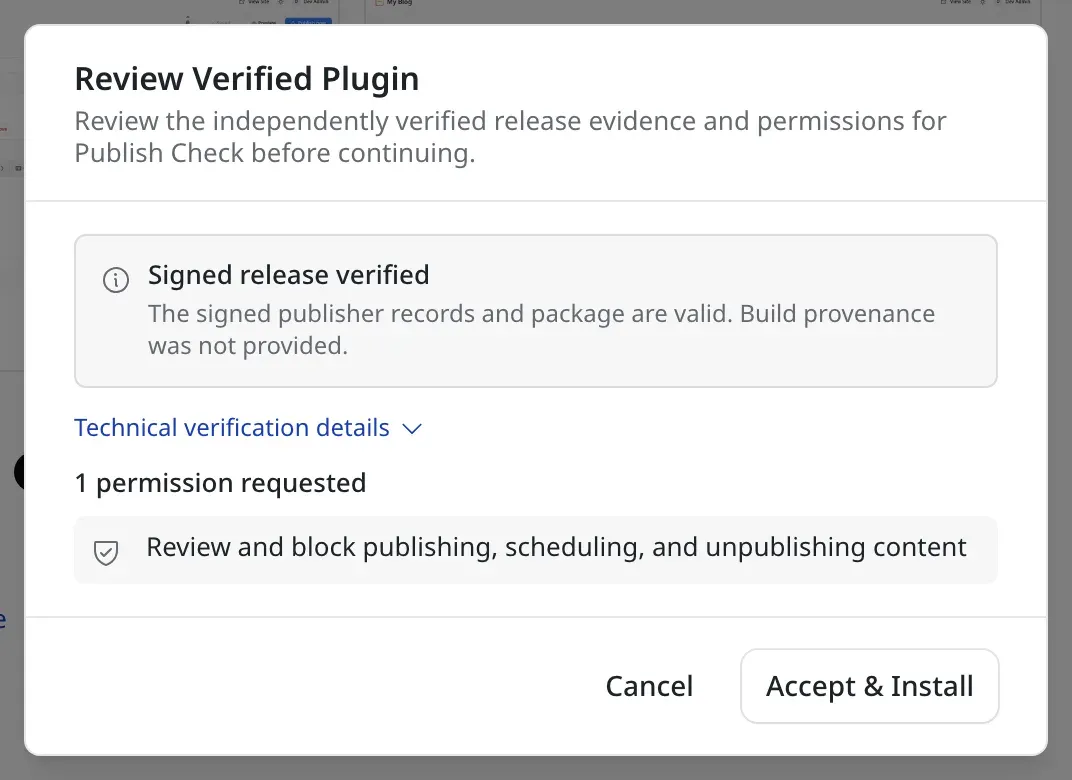
Sandboxed plugins come from EmDash’s plugin registry, and you install them from the admin. Before you confirm, the admin shows the exact permissions the plugin asks for. Before it installs, EmDash checks the download’s checksum, name, version and permissions. Native plugins come from npm, the JavaScript package registry, and a developer adds them in code.
EmDash vs WordPress: side by side
Two tables, so each stays short. The first is about running the site; the second is about building and editing it.
Running the site
| WordPress | EmDash | |
|---|---|---|
| Maturity and support | Over 20 years; large support market | Launched April 2026; small community |
| Hosting | Any PHP host, including shared hosting | Cloudflare Workers or a Node.js server |
| Total cost | Host plan, paid plugins, update and backup services | Host plan, database and media storage, developer setup |
| Speed | Depends on host, theme and caching | Depends on host and caching |
| Security | Plugins are the main risk; updates are on you | Sandboxed plugins are limited; native plugins, npm packages, logins and hosting are still risks |
| Upkeep | Core, theme and plugin updates | npm updates and redeploys |
| Backups | Host or plugin backups | Database and media backups; code in Git |
| Data ownership | Your database; standard export file | Your database and media; site package to another EmDash site |
| Deployment | Edit live, or a staging plugin or host feature | Code through Git and deploys; content edits live in the admin |
Notes:
- Cost is what you pay to own the site, not hosting alone. WordPress itself is free to download from wordpress.org. You pay for a PHP host: shared plans are the cheapest, and managed WordPress hosts charge more to handle updates, backups and caching for you. Paid plugins, premium themes and backup services come on top. For EmDash on Cloudflare, the Workers Paid plan is $5 a month minimum, and you need it for sandboxed plugins. It includes 5 GB of D1 database storage. R2 media storage is free for the first 10 GB a month, then $0.015 per GB. The bigger cost is the setup: someone who codes, or a coding agent, has to build and deploy the site.
- Speed comes from the setup, not the platform’s name. Both build pages on a server, and both are fast when a cache sends saved pages. We have not measured the two side by side, so we give no numbers.
- Security. The sandbox limits what a sandboxed plugin can reach. It does not cover native plugins, the npm packages your site uses, weak admin accounts or your host. On Node.js, EmDash enforces a plugin’s run time but not its CPU or request limits; on Workers, it enforces all three.
WordPress
One databaseMySQL or MariaDB
Posts, pages, users, settings, plugin data
Uploads folderwp-content/uploads
Images and other media files
Theme and pluginsFiles on the same server
The code, updated from the admin
EmDash
DatabaseSQLite, D1, libSQL or PostgreSQL
Entries, users, settings, plugin storage
Media storageA local folder, R2 or S3
Images and other media files
Code in GitDeployed to your host
Astro pages, config, native plugins
Building and editing
| WordPress | EmDash | |
|---|---|---|
| Editor | Block editor | Browser admin; rich text stored as Portable Text |
| Visual page building | Block themes, page builders | No page builder; page templates and section blocks, built in code |
| Plugin ecosystem | Over 78,000 plugins in the directory | Small and new; registry with checked releases |
| Roles | Five built in, more with plugins | Five built in, same names |
| Multisite and languages | Multisite built in; language plugins | No multisite documented; languages built in |
| Comments | Built in | Built in, with moderation |
| Forms | Plugins | No form builder; embed a form service |
| Search | Built in; plugins for better results | Admin search; site search from your theme or a service |
| SEO | Yoast, Rank Math and others | Built in: SEO fields, sitemap, robots.txt, social tags, structured data, redirects |
| APIs | REST API; GraphQL with a plugin | REST API with an OpenAPI description; GraphQL not documented |
| Store and members | WooCommerce, member plugins | No built-in store; use a hosted checkout or a separate back end |
| Moving in | n/a | WordPress importer in the admin |
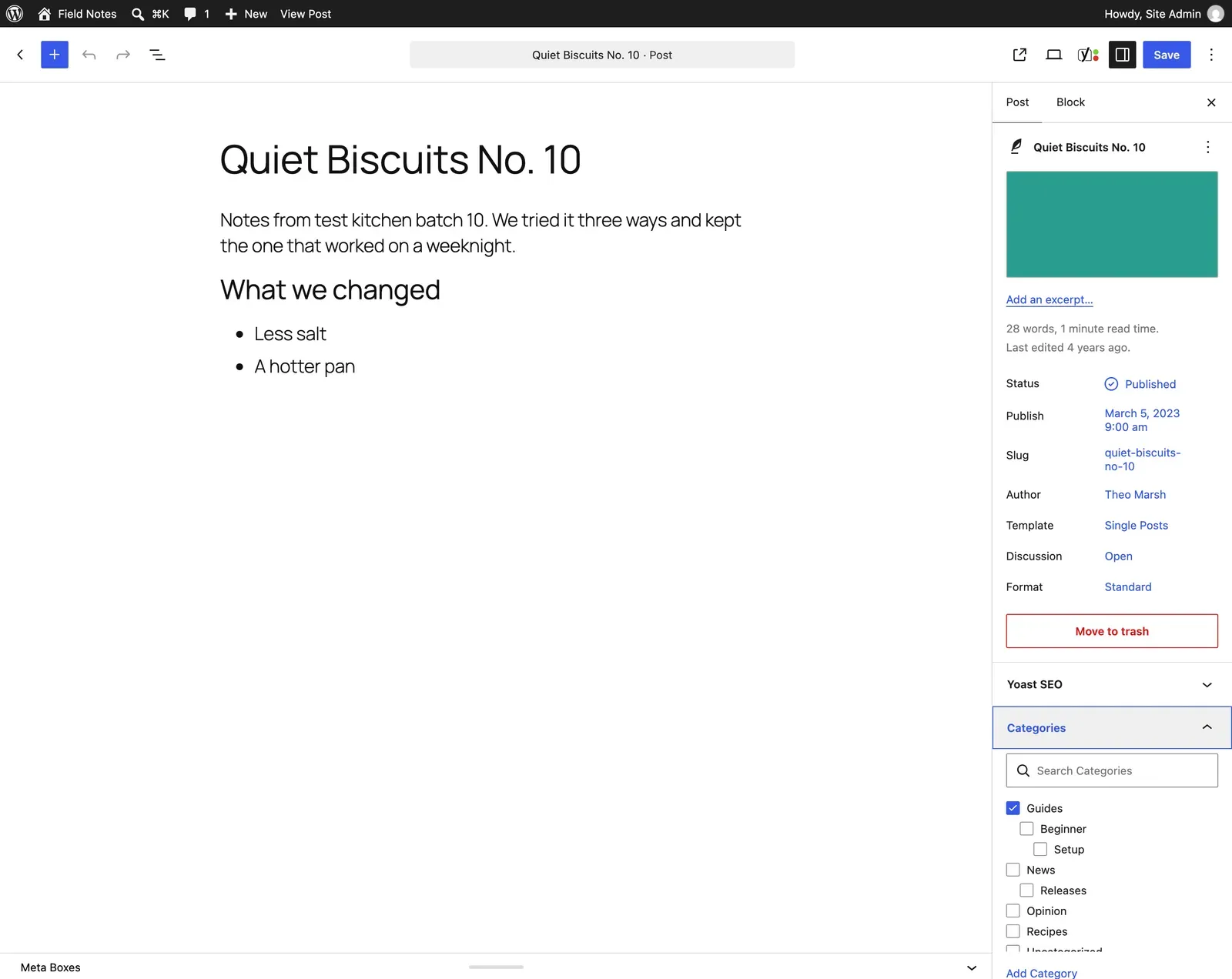
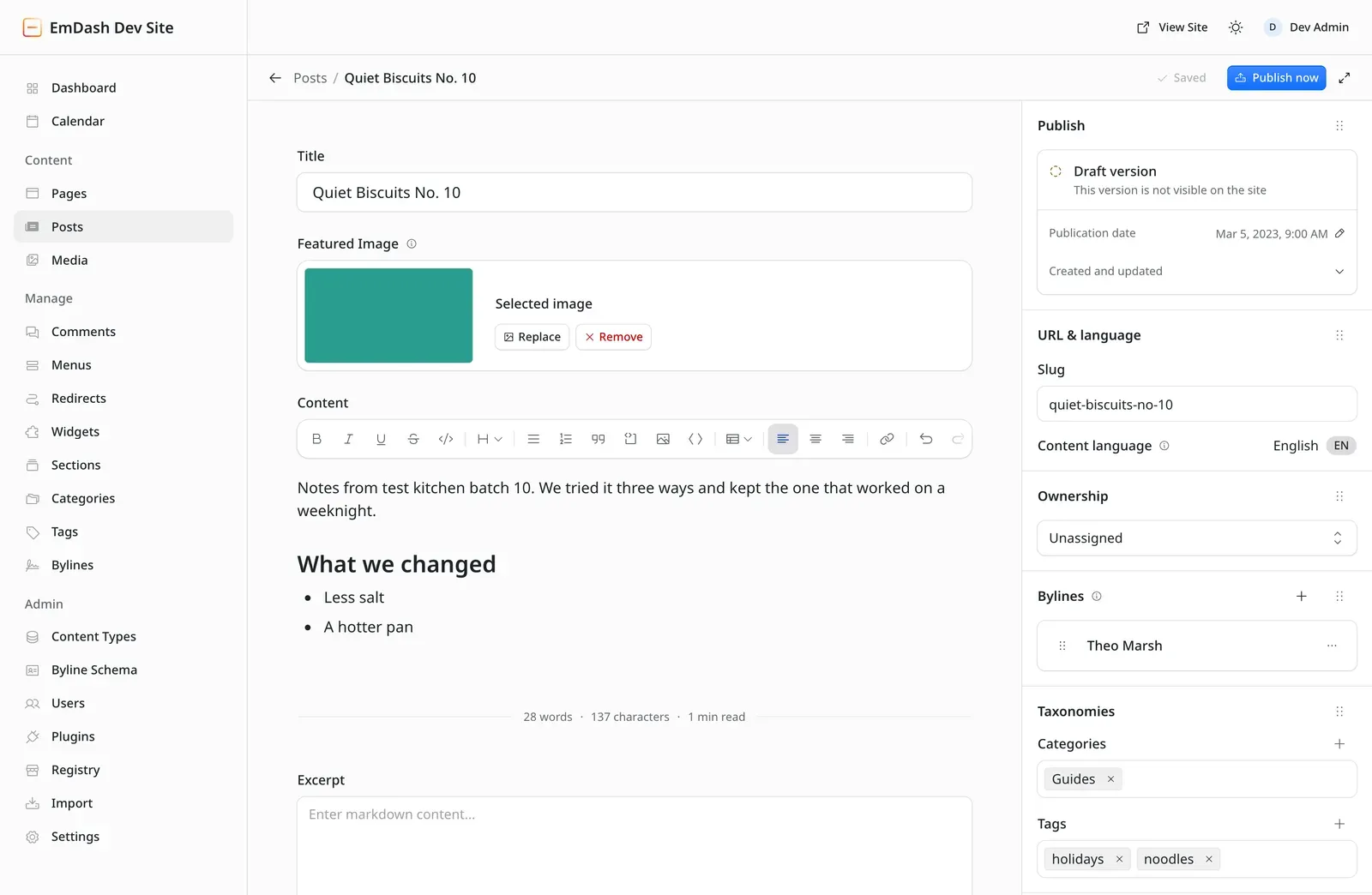
Notes:
- The plugin ecosystem is WordPress’s biggest lead. The count is the wordpress.org directory’s own figure on November 11, 2026. EmDash’s registry publishes no count, and its front page lists about a dozen recently updated plugins.
- Roles. Both have Subscriber, Contributor, Author, Editor and Administrator (WordPress, EmDash). WordPress adds Super Admin on a multisite network.
- Languages. EmDash works with Astro’s i18n routing and keeps one entry per language, each with its own draft or published state.
- SEO. EmDash’s built-in tools cover what most sites install Yoast or Rank Math for (SEO docs). It has no content-analysis tool that grades your writing.
What moves from WordPress to EmDash
EmDash’s importer, in the admin, takes either a WordPress export file (WXR, the XML file from Tools → Export) or a connection to the EmDash Exporter plugin on your WordPress site. The file brings posts, pages, custom post types, categories and tags, authors and links to your media; the importer then downloads the media. The Exporter plugin carries more: custom fields, SEO fields, settings and media details. Comments, menus, the logo and the favicon need exporter 1.2.0 or later (importer docs).
Some things do not move cleanly:
- Shortcodes and page-builder markup come across as they are. Check every page built with them.
- Server-rendered blocks, the ones a WordPress plugin fills in on each visit, become HTML blocks that show nothing.
- Permalinks may change. EmDash does not make redirects for you, so plan one for every old URL.
- ACF relations and other linked fields keep pointing at WordPress IDs, not at the imported entries.
- Drafts keep their old dates. Publishing one backdates it.
The importer copies your old content model as it is. That is the fastest path, and it carries over every quirk. Our guide to planning a content model shows how to decide what to keep. Start with an inventory of your site, so you know what you have before you move it.
The real file
Every Astronomic theme runs on plain Astro and on EmDash. One setting picks the source. Here are the lines that change, from our starter. On the plain Astro path, output is static and there is no adapter. On the EmDash path, the content source returns this:
// starters/starter/src/content/sources/emdash.setup.mjs (trimmed)
return {
	output: "server",
	adapter: node({ mode: "standalone" }),
	integrations: [
		emdash({
			database: sqlite({ url: process.env.EMDASH_DATABASE_URL || "file:./data.db" }),
			storage: local({ directory: "./uploads", baseUrl: "/_emdash/api/media/file" }),
		}),
	],
};
And one line registers EmDash as a live collection:
// starters/starter/src/content/sources/emdash.live.ts
export const liveLoaders = { _emdash: emdashLoader() };
Server output, an adapter, a database, a media store and a loader. The pages, components and styles are the same Astro code on both paths. Our tests check that a theme shows the same content from EmDash as from Markdown files.
What is ready and what is missing
As of November 2026, on EmDash 1.4:
Ready
- Browser editing with drafts, scheduling, previews and revisions
- A media library
- The WordPress importer, for files and through the Exporter plugin
- Sandboxed plugins, with a permission check at install
- Five user roles, passkey login, comments, SEO tools, languages
- Hosting on Cloudflare Workers or Node.js
Missing or young
- The plugin catalog: small, and most WordPress plugins have no EmDash version
- Visual page building
- A store or member area
- Shared PHP hosting
- A large market of freelancers, agencies and support guides
- Multisite: not documented
- Restoring from the admin: its JSON backups cannot be restored; recovery uses a database backup and a copy of the media
Common mistakes
Comparing EmDash to WordPress as if both were PHP apps. EmDash’s design comes from Astro and the sandbox. Read how Astro works first.
Assuming a WordPress plugin has an EmDash twin. Most do not. List your plugins, and what each one does, before you plan the move.
Assuming every EmDash plugin is sandboxed. Native plugins run with full access. And with no sandbox runner set, sandboxed plugins do not load at all.
Picking EmDash when nobody edits in a browser. If the people who edit are fine with files and Git, plain Astro is simpler: no database to run or back up.
Publishing imported drafts without checking dates. Imported drafts keep their old dates, so a draft from 2019 goes live dated 2019.
Backing up only the database. Media files live in separate storage. Back up both.
FAQ
Is EmDash production-ready?
We build on EmDash 1.4. Every Astronomic theme runs on it, and our tests build each theme from an EmDash database as well as from Markdown files. What is missing is around it: a large plugin catalog, page building, a store and a support market. If your site needs none of those, it can run on EmDash today. Check the missing list against your site first.
Can it replace Elementor?
No. EmDash has no page builder. Editors pick a page template and can add and reorder section blocks, but a developer builds each layout as an Astro component. Elementor pages need their layouts rebuilt.
Can it replace WooCommerce?
No. EmDash has no built-in store. A small shop can link to a hosted checkout; a large one needs a separate store back end. Our WordPress move guide covers the store paths.
Does it run on shared hosting?
Usually not. EmDash needs Cloudflare Workers or a server that runs Node.js, with a disk that keeps its files if you use SQLite. Classic shared hosting is built for PHP, so check your plan before you count on it.
Who owns my data?
You do. Your content lives in your database and your media storage, on accounts you control. To move everything to another EmDash site, the admin exports a site package: content, media, menus, redirects and comments, but no users or passwords. For a full copy in any other form, export the database itself.
Can people who do not code manage it?
Editors can, in the browser: writing, media, menus and publishing. Setup, updates and new layouts need a developer or a coding agent.
Should you pick EmDash or WordPress?
Maturity is part of the answer. EmDash is seven months old; WordPress is over 20 years old.
Pick WordPress if your site depends on WooCommerce, a member plugin, a page builder or many plugins with no replacement, or if you need a large support market today.
Pick EmDash if your site is mostly content, people need to edit in a browser, someone can handle setup and updates, and you accept a young platform. Start with a test move of a copy of your site.
Pick plain Astro if the people who edit are fine with files and Git. There is no database to run, and Astro itself is mature. Our guide to Markdown or EmDash shows how a theme switches between the two.
When not to pick Astro at all: a large store, or a plugin-heavy site with no budget to rebuild what the plugins do. Stay on WordPress.
To try both paths on one site, start with Vesper, our free blog and portfolio theme. It runs on plain Astro and on EmDash, and it is MIT licensed. For the full move, from inventory to redirects, see the WordPress move guide. Before you move, make an inventory of your site and plan your content model.