A plumber website template made for emergency calls
Groundcrew's plumbing sample is a complete plumber website template for Astro. Your number is one tap away on every page, the emergency line has its own banner, and quotes come in through a form in steps.
$79
Demo: Brassfield Plumbing & Drain, a made-up business.
Screenshots
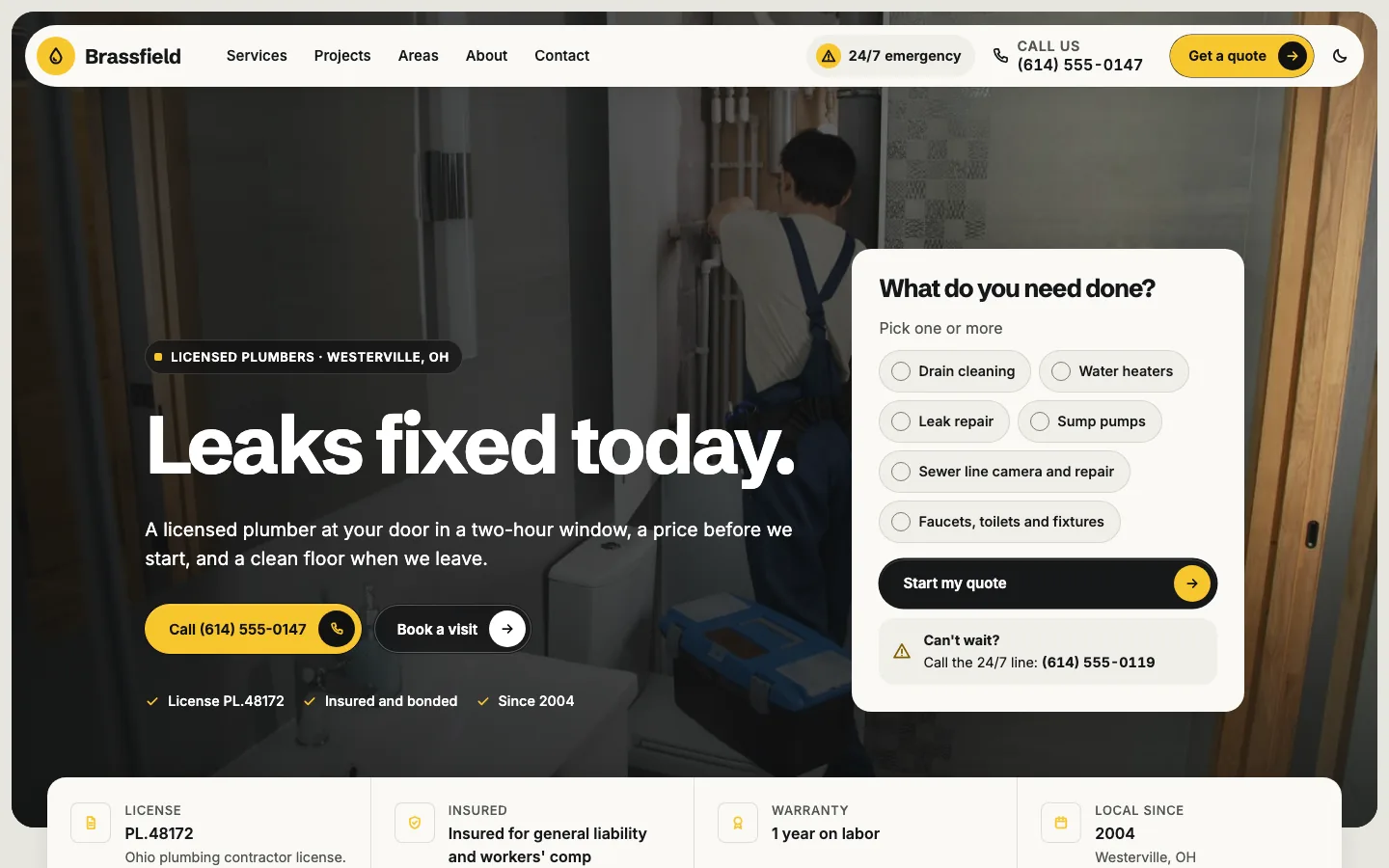
Fig. 1.1.3.1 — Home page, plumbing demo 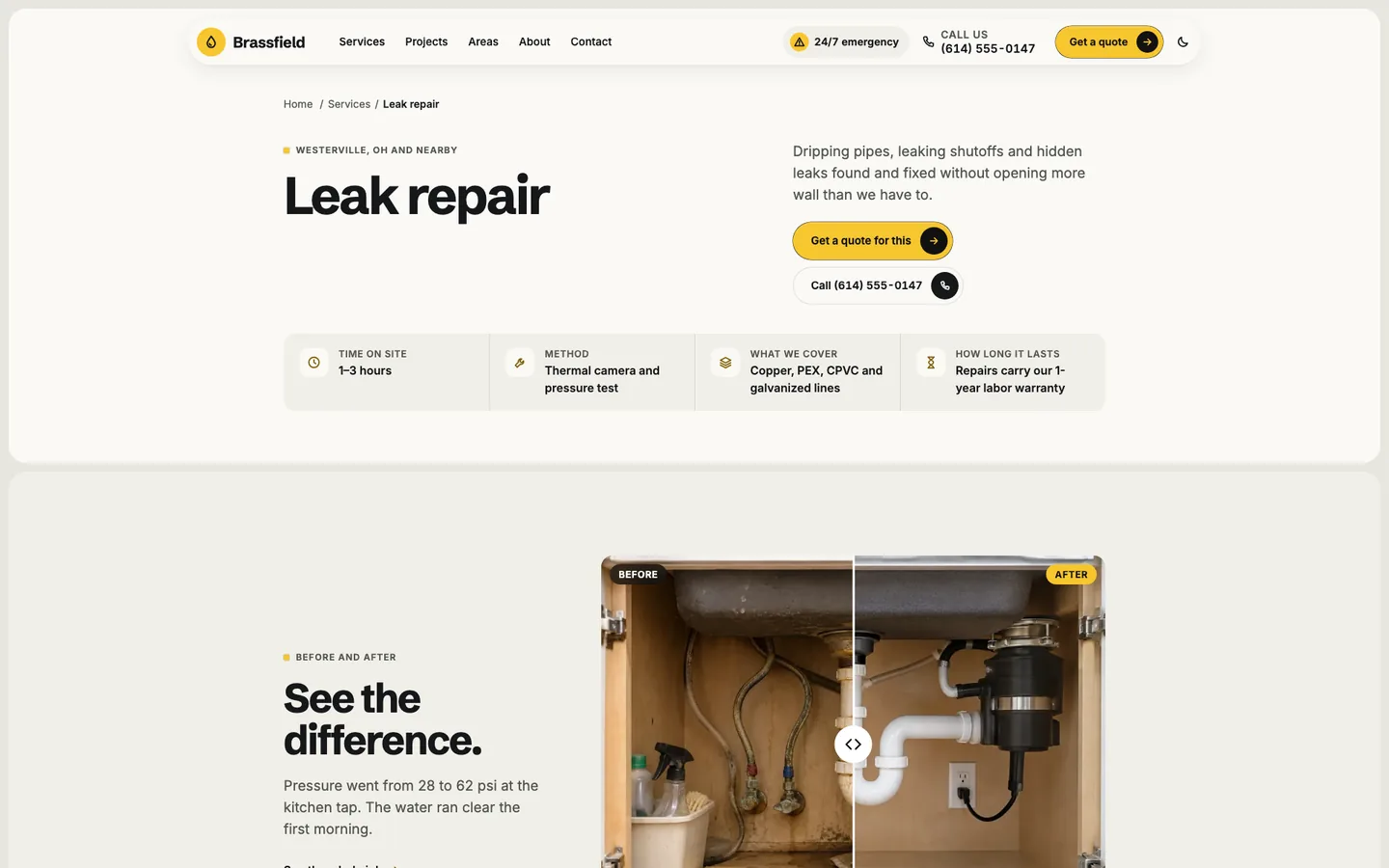
Fig. 1.1.3.2 — A service page, plumbing 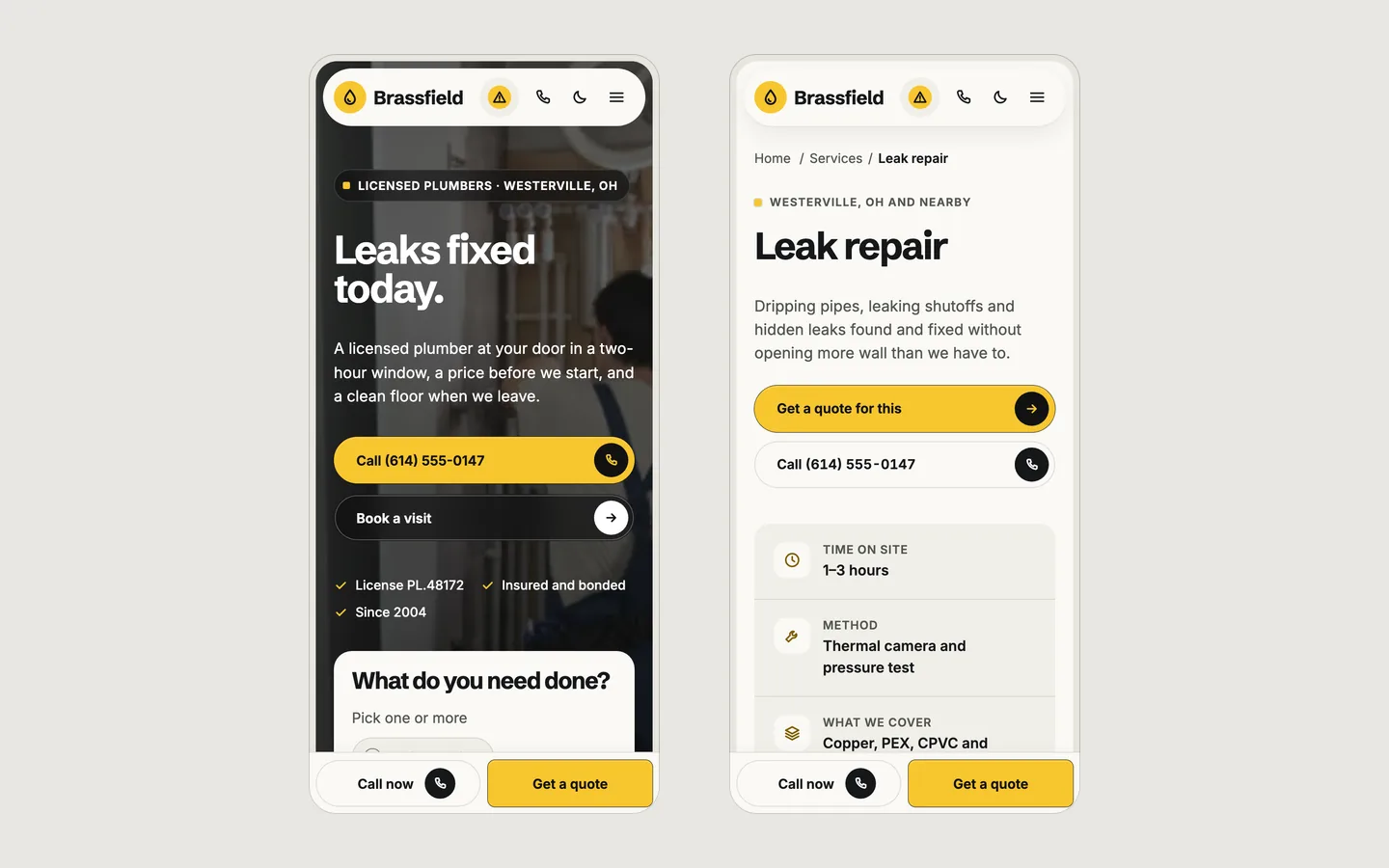
Fig. 1.1.3.3 — Home and a service page on a phone
Best for
- Plumbing and drain companies that get most of their work by phone
- Web designers and developers who build sites for local plumbers
- Shops that run an after-hours emergency line and serve a set list of towns
Features
- Your phone number, one tap away
- It sits in the header on desktop, and a bar with Call and Quote buttons stays at the bottom of phone screens on every page.
- A 24/7 emergency line
- Its own number, an arrival window and what to do first, in a home banner, a header link and a note on the contact form. One switch turns it off.
- A quote form in steps
- Visitors pick services from photo tiles, then the property and what is under the house, then the details. It posts to your form service and works with JavaScript off.
- A page for each service, with a "from" price
- Time on site, the method, what is included, the visit by the clock and a starting price. One switch hides the prices everywhere.
- Town pages and a ZIP check
- A page per town you serve, with its own intro and local jobs, and a box where a visitor types a ZIP code to see if you come to them.
- Proof that reads like a neighbor's
- Reviews with the town and the job, projects with the problem, the fix and the result, and each review's own stars. Add a before and an after photo, and the page gets a slider. The overall rating stays hidden until you turn it on and enter your real one.
What a plumbing website needs to do
Most plumbing calls start with a problem that cannot wait. This plumber website template is built around that moment. The phone number is in the header on desktop and in a call bar on phones. The home page leads with “Call” and “Book a visit”. The 24/7 emergency line gets its own banner, with its own number, an arrival window and what to do first. The contact form tells visitors not to use it for emergencies and gives them the number instead.
For the jobs that can wait, the quote picker in the hero starts a request on the first screen. The services a visitor ticks carry over to the quote page, which asks about the property and what is under the house before the details.
What the plumbing sample includes
The demo is Brassfield Plumbing & Drain, a made-up shop in Westerville, Ohio. Its plumbing website design has these pages:
- Home: the hero with the quote picker, your license and insurance in a trust strip, services, a before-and-after slider when you add a pair of photos, four steps with real timings, recent projects, reviews, towns served with the ZIP check, the emergency banner, warning signs worth a call, an FAQ and a quote band. Reorder or remove the sections after the hero in one file.
- Services: drain cleaning, leak repair, water heaters, sewer line camera and repair, sump pumps, and faucets, toilets and fixtures, each with a facts bar, what is included, the visit by the clock and a “from” price.
- Town pages: Westerville, Worthington, Gahanna, Dublin and Hilliard, each with its ZIP codes, a local intro and the reviews from that town, plus its projects where it has any.
- Projects: the problem, the approach and the result, with the facts of the job and the client’s review.
- About, contact and a blog, plus site search and privacy, terms and accessibility templates.
The theme comes with four sample businesses: plumbing, construction, landscaping and cleaning. Plumbing is the one set up when you start, and one command switches to another.
Built for local search
Each town gets its own page, so “plumber in Dublin” has a page to land on. The site tells search engines it is a plumber, with your hours and the towns you serve. While you show prices, each service page’s starting price is in its search data too. The sitemap and search leave out any part you turn off, so there are no dead links. With Markdown content, the site builds to plain static pages, with no server to keep running.
What you need before it goes live
Groundcrew is an Astro theme, not a plumbing website builder. You get the full source in a private GitHub repository. Someone at ease with GitHub and a static host sets it up: you, or the web person you hire. You also need:
- A form service for the quote and contact forms. Until you set real form addresses, the forms send nothing.
- Your own photos. The free sample photos are yours to use. Demo photos are not included.
- Your own details: license number, insurance, warranty, hours and towns, in one settings file. Once the site is live, the build stops on any placeholder address you leave in.
Content lives in Markdown files you edit in the repository. If your office would rather edit in a browser, the theme also runs on EmDash, with a Node host.
What you get
- Private GitHub repository
- Four sample sites and presets, one per trade (plumbing is set up when you start)
- Docs for install, content, parts, settings, looks and deploy
- Free photos to start with, each CC0 or public domain. Demo photos are not included.
- Lifetime updates
Questions
Do I need a website for my plumbing business?
If people find you through search or reviews, your site is where they check you before they call: your license, the towns you serve, your hours and how fast you come out. This template puts each of those where a visitor on a phone sees it, with the call button always in reach.
How do I build a plumbing website with this template?
Copy the repository, put your business name, phone, hours, license and towns in one settings file, and replace the sample's services, town pages, projects and reviews with your own. Set your form service's addresses and your site's address, then deploy it to a static host. The docs walk through each step.
Who should set it up and run it?
Someone at ease with GitHub and a static host: you, or the web person you hire. Day to day, content is Markdown files in the repository. If you would rather edit in a browser, the theme also runs on EmDash, which needs a Node host.
What else do I need besides the theme?
A form service for quotes and contact, a host, and your own photos. The free sample photos are yours to use. Demo photos are not included. The privacy, terms and accessibility pages are templates for you and your attorney to fill in.
Is it an HVAC website template too?
It is a good start for one. Services, town pages and the FAQ are your own files, so a heating and cooling shop can swap in its own work. There is no HVAC sample, so the plumbing sample, with its emergency line and "from" prices, is the closest fit.
Can I turn off parts my shop does not use?
Yes. The emergency line, prices, projects, town pages, the blog, the quote page and the team each have a switch. A part that is off is gone everywhere: no page, no link, no empty block, no sitemap entry.
Groundcrew: more calls and quote requests, from your own site.