A construction company website template built to win jobs
Groundcrew is a construction company website template for remodelers, builders and general contractors. It puts your quote form, your past projects and your license where a homeowner looks first.
$79
Demo: Sixpenny Builders, a made-up business.
Screenshots
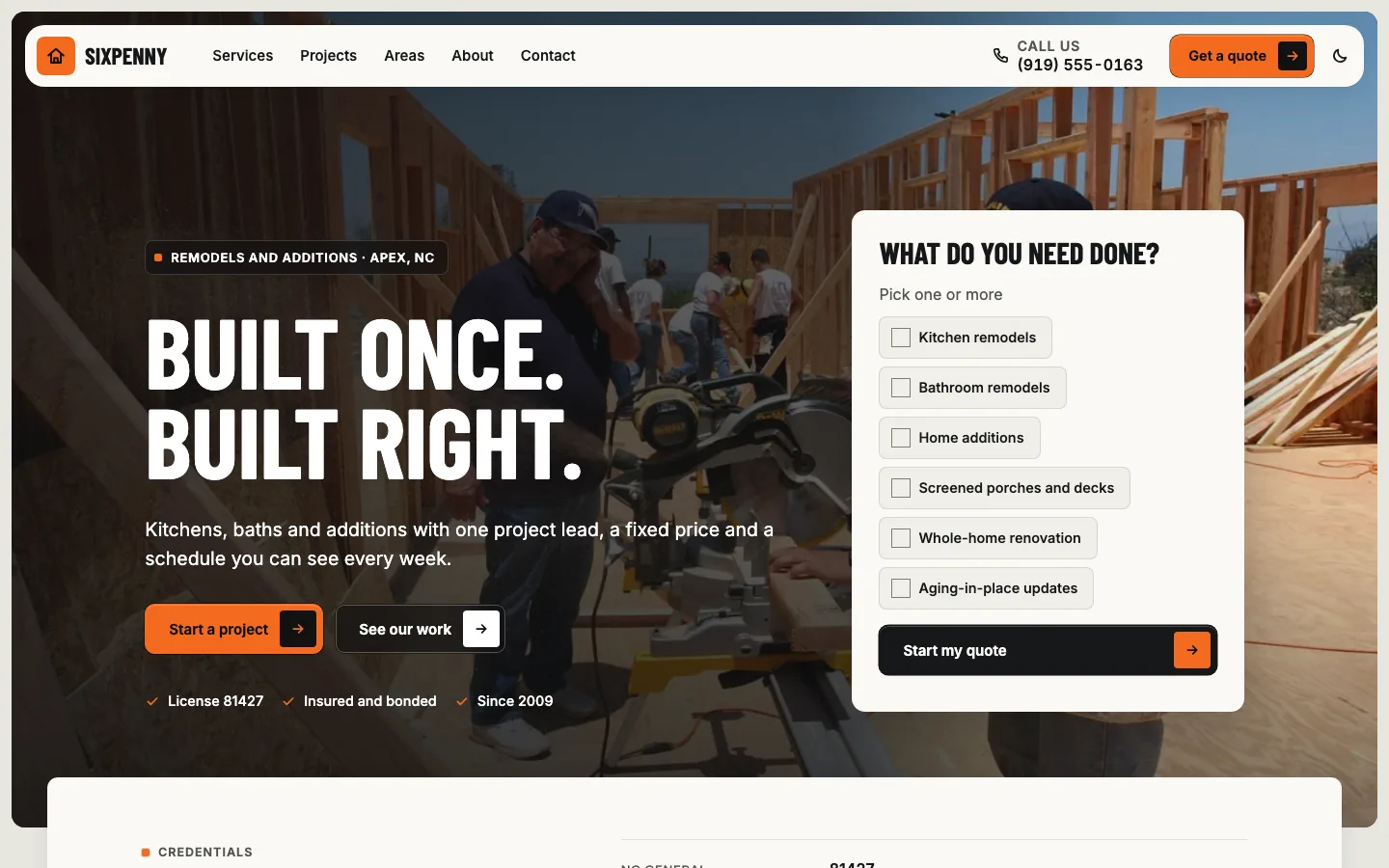
Fig. 1.1.1.1 — Home page, construction demo 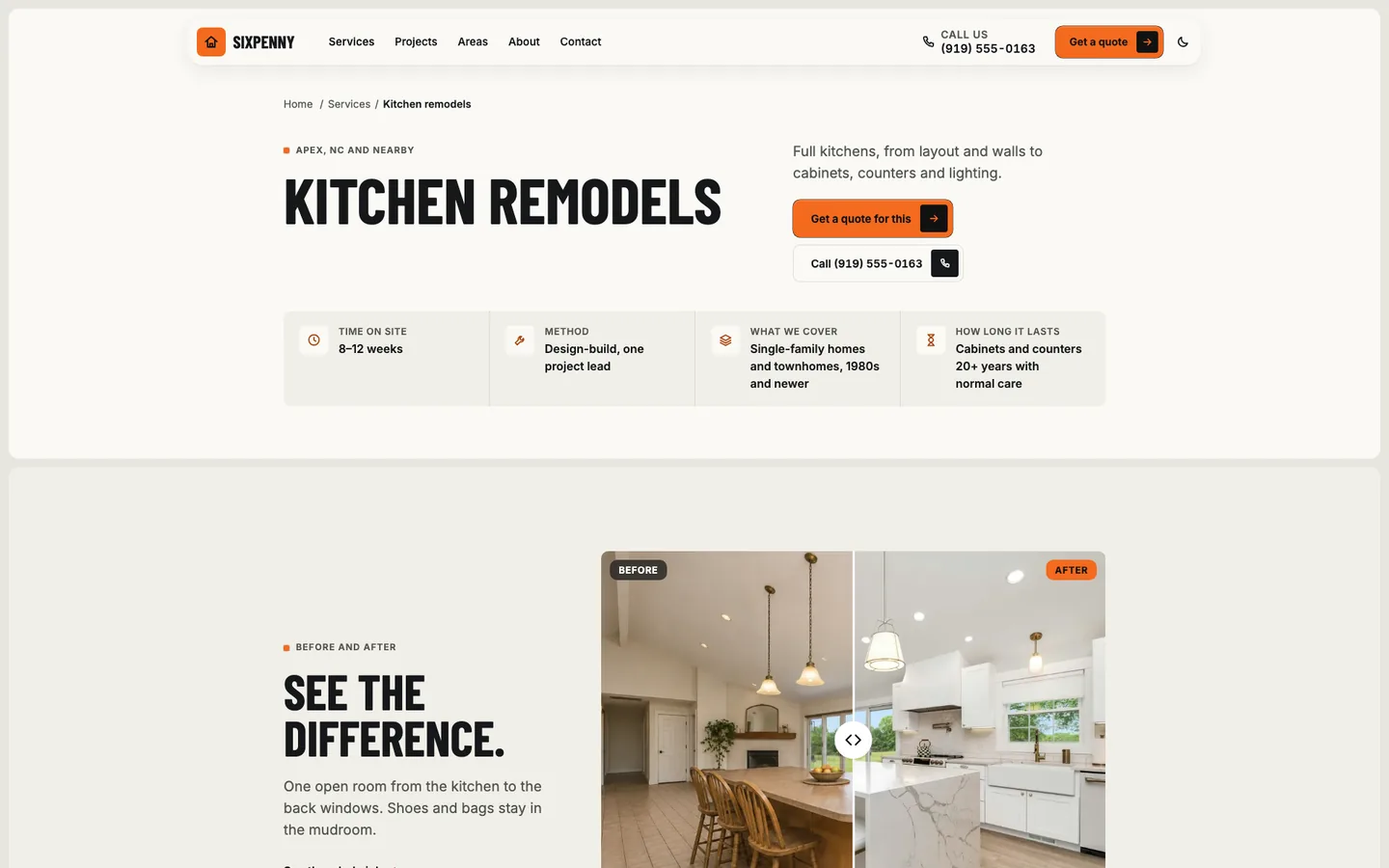
Fig. 1.1.1.2 — A service page, construction 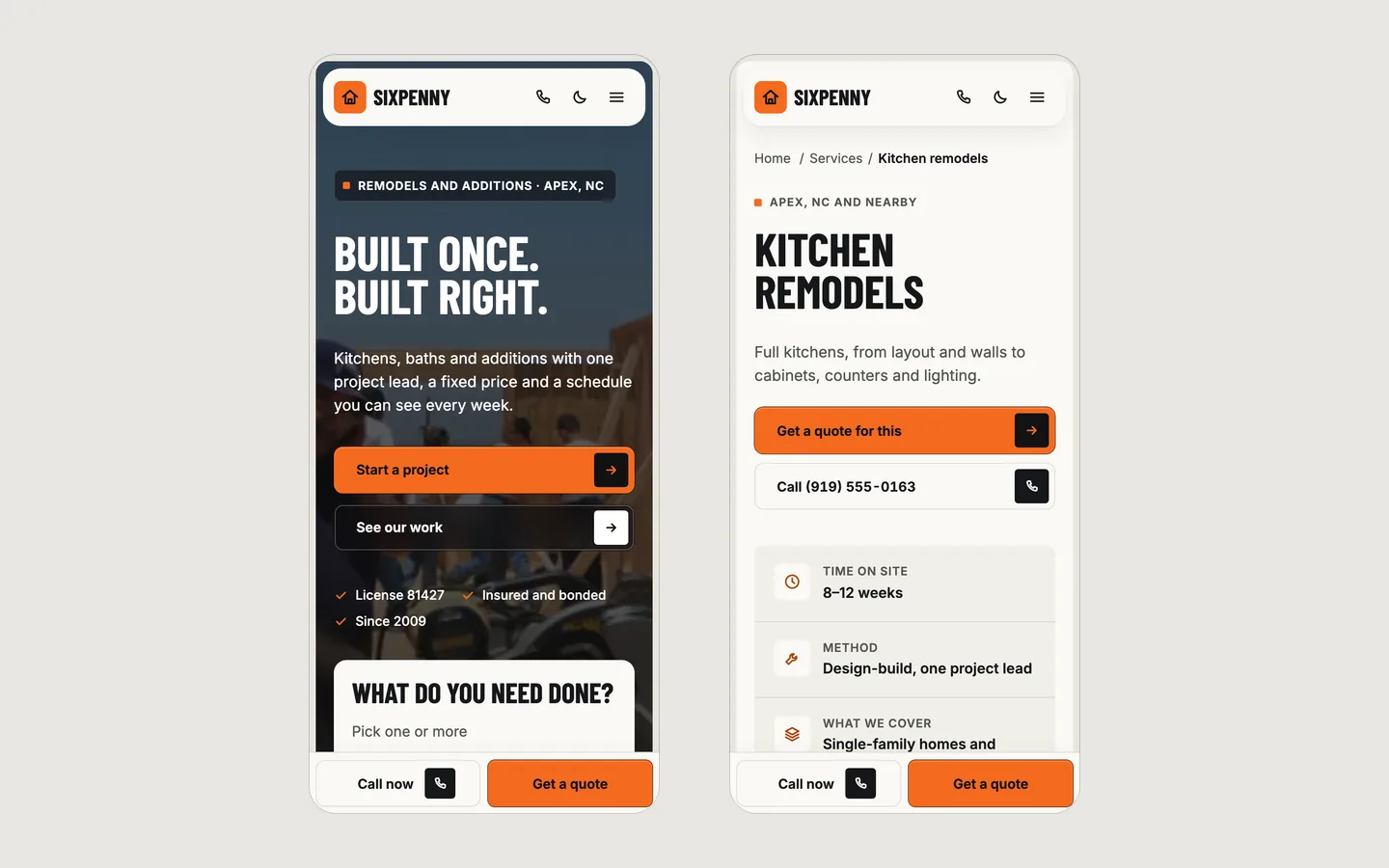
Fig. 1.1.1.3 — Home and a service page on a phone
Best for
- Remodelers and design-build firms
- General contractors who work in a few nearby towns
- Web people who build sites for local builders
Features
- A quote picker on the home page
- Visitors tick the jobs they have in mind, and the quote form opens with those services already picked.
- A quote form in steps
- Services as photo tiles, then the house and whether they will live in it during the work, then the details. It posts to your form service, and works as one long form without JavaScript.
- Projects with before and after
- The town and year, a facts table, and what was wrong, what you did and how it came out. A project with a before and an after photo gets a slider to compare them.
- Credentials up front
- Your license number, insurance, bonding, written warranty and certifications in a strip on the home page. The license and insurance show in the footer of every page, too.
- A page for each town you serve
- A local intro, the services you offer there, the reviews and any projects from that town, and a ZIP check that tells a visitor if you cover them.
- Service pages that answer the first call
- Time on site, what is included, a work day by the clock and the service's own FAQ, for each kind of job.
What the site does for a builder
A homeowner planning a kitchen or an addition wants three things before they call: proof you have done this kind of job, proof you are licensed and insured, and a sense of how you work. Groundcrew answers each on the home page, in that order.
The hero carries a quote picker, so a visitor can start a request in one screen. Below it sit your credentials, your services, a before and after of one project, your process with real timings, recent projects, reviews with the town and the job, the towns you serve and your FAQ. You can reorder or remove any of those sections.
On a phone, a bar at the bottom of the screen keeps two buttons in reach: call, and get a quote. On a desktop, your phone number sits in the header.
Construction company website design that shows the work
Each project page has a facts table (time on site, the house, the scope), and three short parts: the problem, the approach and the result. A project with a before and an after photo gets a slider to compare them, as the sample Holly Springs kitchen does. A project can link the client’s review and ends with “Get a quote like this.”
Each service page sets out what a client can expect: how long you will be on site, what is included, what a work day looks like by the clock, and the questions people ask about that job. Related projects and the towns where you offer it sit on the same page.
The construction look sets headings in condensed capitals. In one config file you can change the heading font, the text font, whether the site opens in light or dark, or the whole look.
Built to rank in the towns you work
A contractor website has to show up when someone searches for a builder in their town. Groundcrew gives each town you serve its own page, with a short local intro, the services you offer there, and the reviews and projects from that town when it has them. A ZIP check on the home page and the areas page tells a visitor straight away whether you cover them.
Every page gets its meta tags, a share card and a place in the sitemap. Site search is built in.
What you need to launch it
Groundcrew is code you own, not a monthly builder. To launch it you need:
- Someone at ease with GitHub and a static host, to copy the repository, set it up and publish changes.
- A form service, for quote requests and contact messages. Until you set real form addresses, the forms send nothing.
- Your own projects, reviews, team and photos. Demo photos are not included.
Content lives in Markdown files by default. EmDash is supported as a second source, with an admin where you can edit the site; it needs a Node host. A setup check stops every build that has no business name, no phone number or a broken form address, and lists what to fix. Once the site is live, it also stops on a sample placeholder left in.
The parts are switches. Turn off the blog, the team, the town pages, the projects or the quote page, and each one goes from the menus, the sitemap and search, with no dead links left behind.
What you get
- Private GitHub repository
- Four sample sites and presets, one per trade (plumbing is set up when you start)
- Docs for install, content, parts, settings, looks and deploy
- Free photos to start with, each CC0 or public domain. Demo photos are not included.
- Lifetime updates
Questions
Can I see construction company website examples built with it?
Yes. The live demo is Sixpenny Builders, a sample remodeling firm: a home page, six service pages, five town pages, three projects, a quote page, an about page with the team, and a blog. Click through it before you buy.
Is it a construction website builder?
No. It is an Astro theme: the code of a finished site, in a private GitHub repository you copy and own. You edit the words in Markdown files, or in the EmDash admin if you set up EmDash, and your host builds the site.
Do I need a developer to run it?
You need someone at ease with GitHub and a static host. Setup is a few steps in the docs: your details and form addresses in one settings file, then connect the repository to your host. Or hand that part to the web person you already work with.
Are there free construction website templates like this?
Groundcrew is a paid theme, one purchase with lifetime updates, and it is coming soon. What you get for it: the quote form, before and after, the ZIP check, the call bar for phones and the docs, already built and tested.
What do I need besides the theme?
A form service to receive quotes and messages, a host, and your own photos. Demo photos are not included. The theme ships free CC0 and public domain photos to start with, and a page with no photo shows its text with no empty box.
Can a roofer or another trade use it?
Yes. The sample is a remodeler, but services, towns, projects and the quote form's choices are all your own content. Replace them, and turn off the parts you do not need, such as the blog or the team.
Groundcrew: more calls and quote requests, from your own site.