A landscaping website template that turns visits into quotes
Groundcrew is a landscaping website template for Astro, built around the two things a yard job starts with: a phone call and a quote request. See it on Tilth & Stone Landscapes, a sample business in the towns south and west of Denver.
$79
Demo: Tilth & Stone Landscapes, a made-up business.
Screenshots
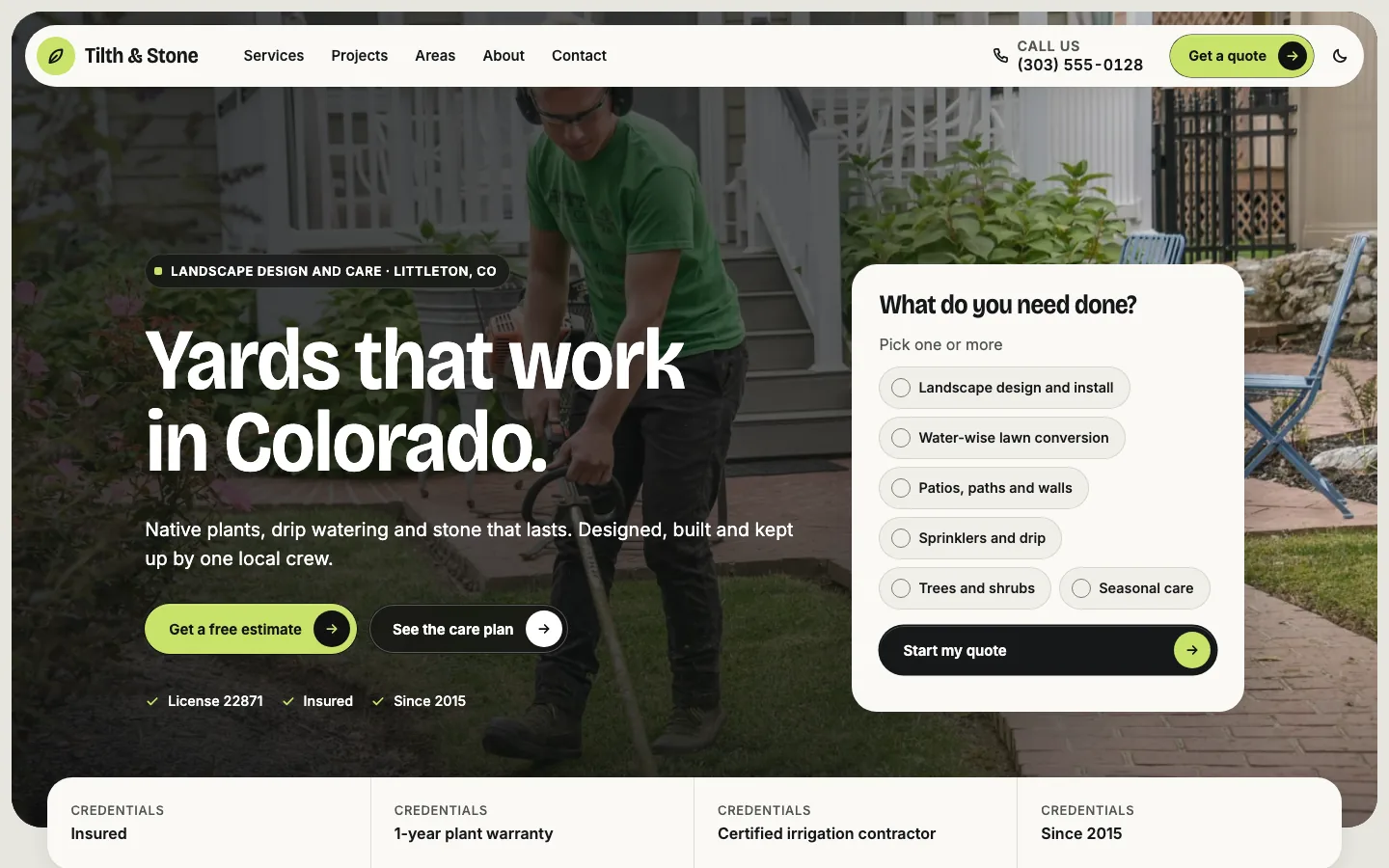
Fig. 1.1.2.1 — Home page, landscaping demo 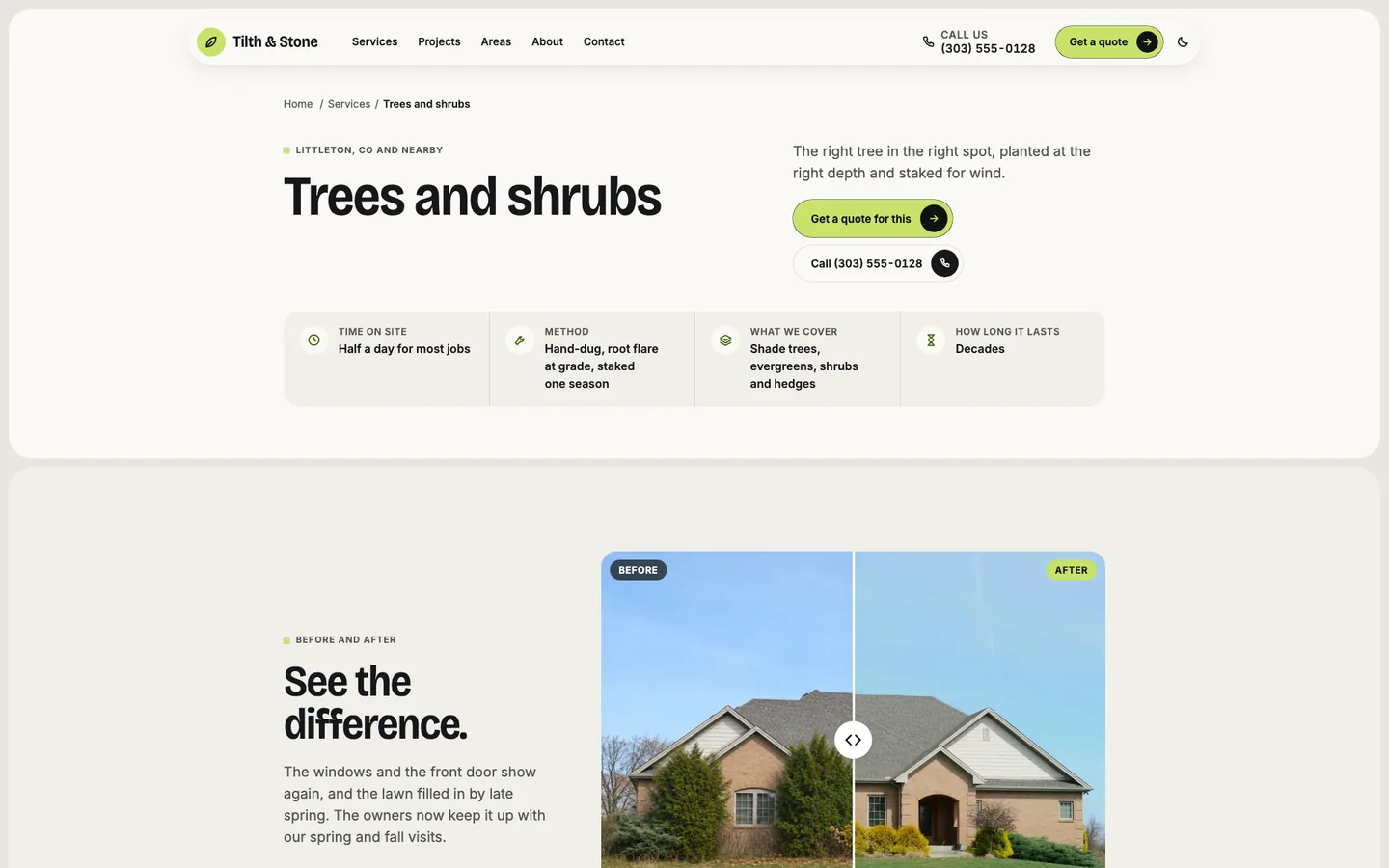
Fig. 1.1.2.2 — A service page, landscaping 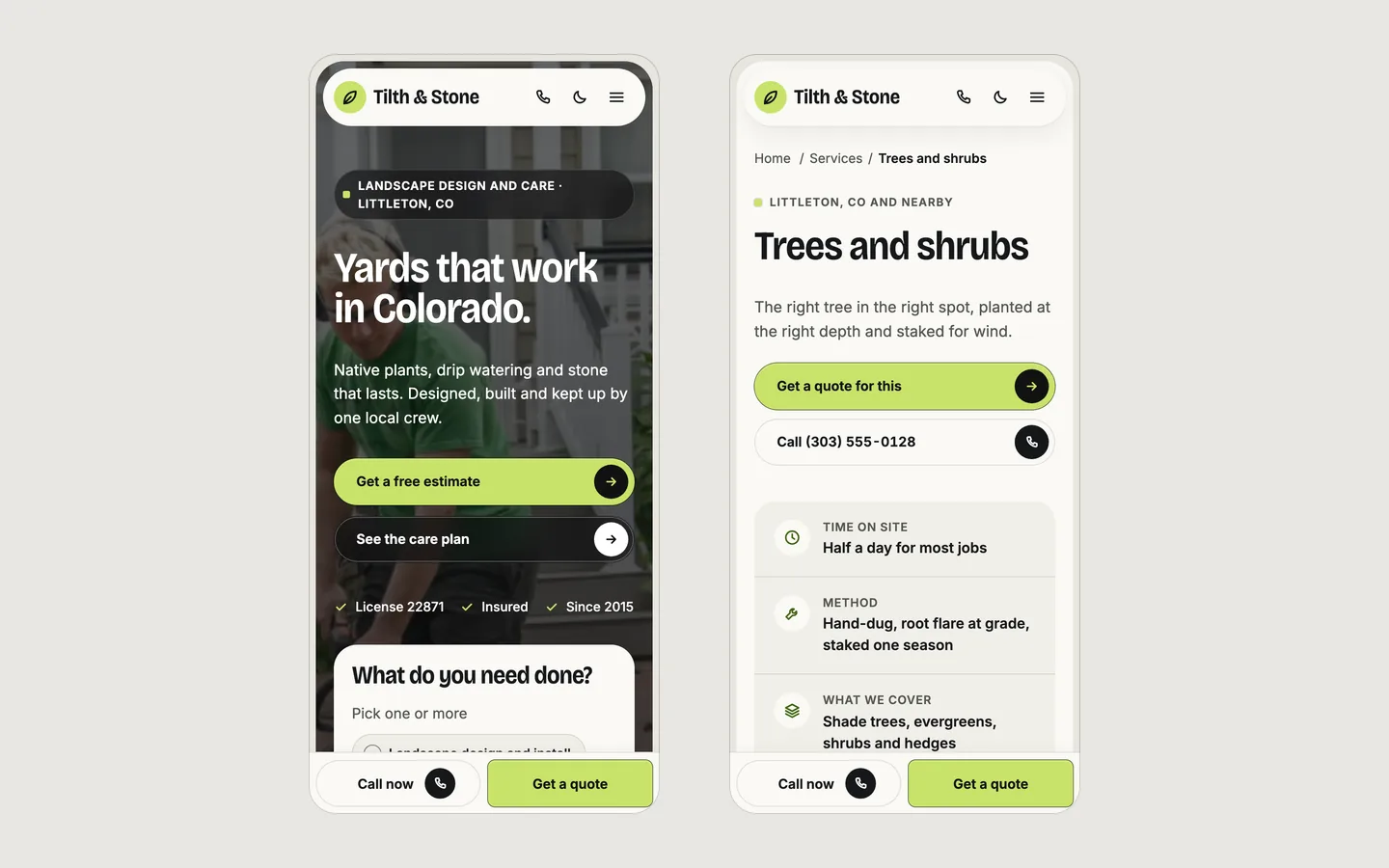
Fig. 1.1.2.3 — Home and a service page on a phone
Best for
- Landscape design, install and care companies that serve a handful of nearby towns
- Web designers and freelancers who build sites for landscapers and lawn care crews
- Owners who sell a seasonal maintenance plan next to one-off projects
Features
- A quote form that asks the right questions
- Visitors pick services from photo tiles, then the property type and how to get into the yard: open gate, gate code or a dog. It posts to your form service.
- A service picker in the hero
- Visitors tick the jobs they want on the home page, and the quote form opens with those services already checked.
- A page for each town you serve
- Each area page has its own intro, its services, and the reviews and projects you tag to that town. A ZIP check tells visitors if you cover them.
- Projects with before and after photos
- Each project has a facts table, the problem, the approach, the result and the client's review. Add a before and an after photo, and the page gets a slider.
- A seasonal care plan block
- Name the plan, its price, its season and what each visit includes. It is on by default for landscaping, and one switch turns it off.
- Call and quote buttons on phones
- A bar with call and quote stays at the bottom of the screen on phones. On wider screens the phone number sits in the header.
What a landscaping website needs to do
A landscaping business website has two jobs, because most people who find a landscaper online want one of two things: to call, or to ask for a price. Groundcrew puts both on every page. On phones, a call and quote bar stays at the bottom of the screen. On desktop, the phone number sits in the header. The home page opens with a service picker, so a visitor can tick “Irrigation” and “Patios” and land on a quote form that already knows.
The quote form comes in steps: the services as photo tiles, then the property and access, then the details. In the sample, it asks whether the yard is a house, a townhome or an HOA common area, and whether the crew will find an open gate, a locked one or a dog. With JavaScript off, it is one long form that still sends. To see the form and the picker at work, click through the Tilth & Stone demo, a landscaping website example you can try before you buy.
Landscaping website design built for local search
People search for a landscaper in their town, so the theme gives each town its own page. Tilth & Stone has five: Littleton, Centennial, Englewood, Highlands Ranch and Lakewood. Each has a local intro and the services offered there, plus the reviews and projects tagged to that town, where it has some. A ZIP check on the areas list tells a visitor if you cover them.
Every page carries structured data for search engines: the business with its hours and the towns it serves, and each service with its area. A sitemap, share images and site search come with it.
Proof that sells the next job
Landscaping sells on what the yard looked like before. Each project page has a facts table, the problem, the approach and the result, with the client’s review beside it. Give a project a before and an after photo, and it gets a slider to compare them. The projects list filters by service.
Reviews show the town and the job they were about. The trust strip shows your insurance, warranty and certifications, and the home page has a process section with real timings, from the first walk of the yard to the first-season check.
A care plan next to the big jobs
Many landscapers earn steady money from upkeep between installs. The landscaping preset turns on a care plan block: its name, price, season and what each visit includes, with its own button. A crew that does not sell one turns it off with one switch, and it is gone from every page.
The same goes for the other parts. Projects, service areas, the blog, the quote page and the team each have a switch. An off part leaves no empty section, dead link or sitemap entry behind.
Who runs it, and what it needs
Groundcrew is a theme you own, not a hosted site builder. Before you buy, check that you have:
- Someone at ease with GitHub and a static host. Content is Markdown files. EmDash works too, if you want an admin, on a Node host.
- A form service for the quote and contact forms.
- Your own photos. Demo photos are not included. The theme comes with free CC0 and public domain photos to start, and every page works with no photo.
A setup check stops the build on a missing phone number, a broken form address or a sample placeholder left in place, and lists what to fix.
What you get
- Private GitHub repository
- Four sample sites and presets, one per trade (plumbing is set up when you start)
- Docs for install, content, parts, settings, looks and deploy
- Free photos to start with, each CC0 or public domain. Demo photos are not included.
- Lifetime updates
Questions
How do I make a landscaping website with this template?
Switch the theme to the landscaping sample, then replace its services, towns, projects and posts (Markdown files) and its reviews and team (JSON files) with your own. Set your business details and form addresses in one settings file, and deploy to a static host.
Do I need a developer to run it?
You need someone at ease with GitHub and a static host. The content is plain Markdown, but setup, updates and deploys happen in a Git repository, not a drag-and-drop editor. If no one on your team works that way, a web person you hire can set it up.
Is this the best website builder for a landscaping business?
It is not a site builder. It is a theme: the code for a finished site that you own and host yourself. Pick it if you or your web person want a fast site you control. Edits can happen in Markdown files or, with EmDash, in a browser admin, but setup and deploys still need someone at ease with code. Pick a hosted builder if no one on your side works that way.
Does it work for a lawn care business?
Yes. The services, towns and care plan are your own entries, so mowing, aeration or fertilizing work the same way as the sample's design and install jobs. The other three samples (construction, plumbing and cleaning) use the same parts.
Are the demo photos included?
No. Demo photos are not included. The theme ships with free photos you can use, each CC0 or public domain, and every page still looks right with no photo. Your own job photos will do more for you than any stock image.
Does it show prices on services?
Not by default for landscaping. Service pages show what is included, the time on site and the day by the clock. One switch turns on "from" prices if you want them.
Groundcrew: more calls and quote requests, from your own site.