4.6GuidePart of Build a website with AI coding agents: the practical guide
How to write an AGENTS.md (with a real file for an Astro site)
AGENTS.md is a plain Markdown file that tells coding agents how your project works. What to put in it, what to leave out, and a real Astro file.
On this page10 sections
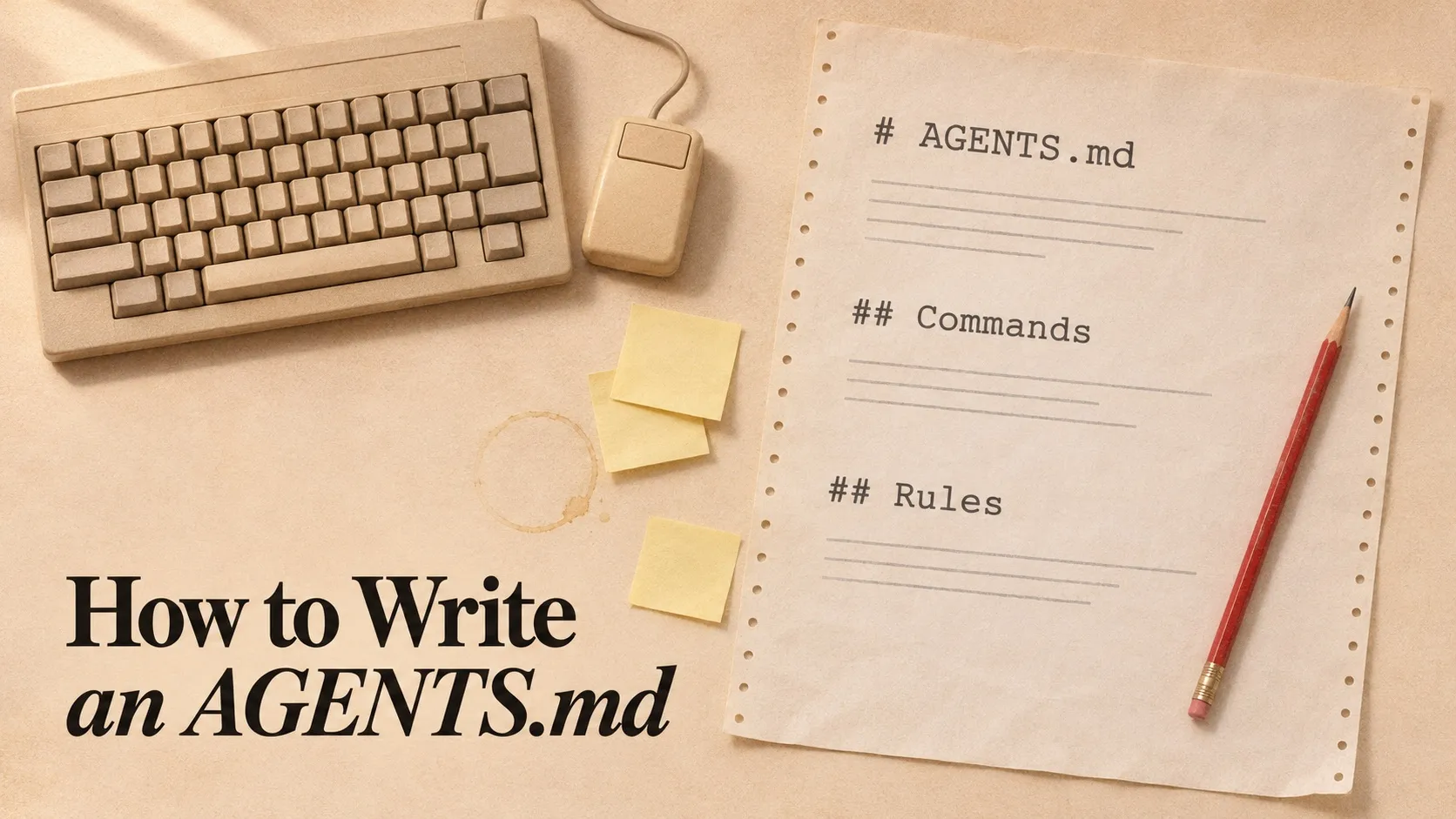
AGENTS.md is a plain Markdown file in your project that tells coding agents what your code can’t: which commands to run, which rules to keep and how to check the work. To write one, create AGENTS.md in the project root and add your exact commands, the rules an agent would otherwise break, and the steps that prove a change is done. For each line, ask whether the agent would do the wrong thing without it. If not, cut it.
This file is one step in building a website with AI coding agents.
What is an AGENTS.md file?
A coding agent is a tool that reads and edits your code from a chat or a terminal. AGENTS.md is a Markdown file for that tool, written the way you would write a README for a person. The agents.md site calls it “a README for agents”.
There is nothing to install. You put the file in the project root, which is the top folder of your project. The agent reads it when it works in your project, so you don’t repeat yourself in every chat.
It is a note, not a lock. An agent can still ignore it, so anything that must never happen needs a real check as well.
Which tools read this file, and how it works alongside CLAUDE.md, is covered in AGENTS.md vs CLAUDE.md.
Why write one if the agent can read your code?
An agent can read your source, your config and your tests. It can’t reliably learn the reasons behind them: which of several commands is the right one, or what counts as done. The Agentic AI Foundation’s guide (AAIF, the group that now looks after the format) puts it this way: “What it cannot reliably infer is the repository knowledge behind those files.”
Here is an example from Vesper, our free theme. It has a setup check that stops the build on a bad setting. An agent that hits that error could fix the setting, or it could turn the check off. Both make the error go away, and nothing in the code says which one we want. So the file says it.
Does an AGENTS.md actually help?
Researchers have tested this, and the results don’t all point the same way.
| Test | What it ran | What it saw |
|---|---|---|
| Lulla et al. | 10 repos, 124 pull requests | Median runtime 28.64% lower, output tokens 16.58% lower, comparable task completion |
| Gloaguen et al. | Benchmark tasks and real issues | No general gain in task success, inference cost up over 20% on average |
| AAIF | 1 repo, 1 agent, 5 runs per condition | Gains on both tasks, after a single run had shown the reverse |
Our reading: the evidence is mixed, and a file is no guarantee. The most useful detail is in the Gloaguen abstract. Agents did follow the instructions, repository overviews “are not helpful”, and the files are useful for non-standard practices. So write down what is unusual about your project, and don’t write down what the agent can already find.
What to put in an AGENTS.md
Test every line before it goes in. AAIF asks whether knowing it “would change what the agent does”, and Addy Osmani asks whether the agent can discover it from the code. We use both, plus a check for rules a tool could handle:
Can the agent learn this from the code?
No
Can a tool enforce it?
No
Does it matter for most tasks?
Yes
Keep it in the file
What usually passes:
- Exact commands, with notes. The build is the command that turns your source files into the finished site. The agents.md FAQ says agents try to run the checks you list and fix failures before they finish. Notes carry what the code can’t, such as which of three test commands fits this change.
- Rules an agent would break. Use exact names, not “keep things tidy”. The Claude Code docs give the model: “Use 2-space indentation” instead of “Format code properly.” (If a formatter can enforce that rule, let it. The example is about how specific to be.)
- How to check the work. Say which check goes with which kind of change. AAIF calls “make sure everything works” a weak definition of done.
- Pointers instead of copies. Link to the long version so the file doesn’t fall out of date. Vesper’s file opens by pointing to its README and its online docs.
What to leave out
- Project overviews and directory listings the agent can find. That is the finding in the Gloaguen abstract, and AAIF’s guide agrees. Official advice isn’t unanimous: the agents.md site lists a project overview among popular sections, and Codex’s best practices list repo layout. Our take: list only the paths an agent would get wrong.
- Generic advice. “Write clean code” changes nothing.
- Rules a linter can enforce. A linter is a tool that checks code for style and common errors. Set it up and list its command. Cursor’s docs say the same about style guides: “Use a linter instead.”
- Long copies of your docs. AAIF calls this “another maintenance problem”.
- Keys, passwords and private details. AAIF: the file “should never contain credentials, secrets or private operational details”.
How long should it be? AAIF sets no target, and neither does the agents.md site. Codex’s guide says a short, accurate file beats a long one full of vague rules. Keep what passes the test, and that decides the length.
How to write your first AGENTS.md
- Create
AGENTS.mdin the project root. - Add the commands from
package.json, with a note wherever a command has a catch. - Add two or three rules you know an agent would break.
- Add how to check the work.
- Check that it loaded. Start a fresh session and ask the agent to list its instructions, which is what the Codex docs show. In Claude Code, run
/context alland look under Memory files. - Commit it to Git, so everyone who works on the project gets it.
- When the agent repeats a mistake, first ask whether the code or a tool can prevent it. If not, add one line. Cursor and Codex both advise adding rules after repeated mistakes.
Here is a starter file for an Astro site. We ran the install and build lines on a new Astro project before publishing this.
# My Astro site

## Commands

```sh
npm install
npm run dev      # dev server at http://localhost:4321
npm run build    # static site in dist/
npm run preview  # serve the build
```

## Rules

- Don't edit `dist/`. The build replaces it.

## Check your work

1. `npm run build` passes.
2. Open the changed page in `npm run dev` at phone width.One line worth adding on an Astro site: the Astro docs warn that AI tools “may use older APIs”. MCP (Model Context Protocol) is an open standard for connecting an AI tool to outside sources, and Astro runs a free MCP server with its current docs. Add the server using Astro’s guide, then name your major version in the file:
- This site uses Astro 7. Check the Astro Docs MCP server before you use an API you're not sure of.A real AGENTS.md for an Astro site
Vesper is our free blog and portfolio theme, and it comes with an AGENTS.md. Here are four parts of it, run through the test:
| Part | The line | Why it passes |
|---|---|---|
| Commands | pnpm test:parity # build every source and compare content and pages |
The agent can’t pick the right test without the note |
| Content | “To add a field, change src/content/model.ts first, then map it in every source…” |
An order of steps the code doesn’t state |
| Settings | “Fix the setting; do not turn the check off.” | Stops the shortcut |
| Rules | “Fill each [[fill in: …]] marker with the owner’s real facts; never invent them.” |
Protects against invented facts |
Vesper’s file is longer than the starter because the theme has two content sources and several looks. A small site’s file stays smaller.
Not every line passes a strict reading. The “What this is” section describes the theme, and an agent could find most of that in the code. It’s the first thing to cut once you’ve made the theme your own.
Read Vesper’s whole AGENTS.md
# Astronomic Vesper

This file tells a coding agent (Claude Code, Cursor, or another coding agent) how this project works. Read it before you change anything. `README.md` has the full setup notes, and the online docs are at https://astronomic.dev/docs/vesper.

Claude Code reads this file when the project has no `CLAUDE.md`. If you also want a `CLAUDE.md`, make its first line `@AGENTS.md` so this file still loads.

## What this is

A free (MIT) Astro 7 theme for a personal site: a blog and a portfolio in one. It has a home page with a photo collage, articles (with categories, tags and series), projects, speaking, uses, a Now page, an about page with a work history, search and a privacy page. Styling is Tailwind CSS v4. Content comes from Markdown files by default, or from EmDash (a CMS built on Astro, with an admin UI). Pages read content only through one content model, so both sources give the same site. The theme has no backend and runs no analytics.

## Commands

Use pnpm. Node version: `.nvmrc`.

```sh
pnpm install
pnpm dev             # dev server at http://localhost:4321 (Markdown source)
pnpm build           # Markdown: a static site in dist/ (then Pagefind indexes it)
pnpm preview         # serve the build (site search works here, not in dev)
pnpm check           # astro check: type-check
pnpm seed:emdash     # EmDash: load the schema, SEO values and demo images into ./data.db (--reset starts over)
pnpm start           # EmDash: run the server build (node ./dist/server/entry.mjs)
pnpm test:units      # the theme's unit tests
pnpm test:adapter    # build the selected source and check its content and pages
pnpm test:parity     # build every source and compare content and pages
pnpm test:no-emdash  # a Markdown build needs no EmDash package
pnpm test:skins      # each accent's values and contrast in every look
pnpm test:system     # the /system pages: off in a build by default, on with ASTRONOMIC_SYSTEM=1
```

## Folder map

Most of the layout you can read from the project. These are the parts that are easy to get wrong:

| Path | What it holds |
| --- | --- |
| `content/site.json` | Your profile and settings in the Markdown source: name, role, avatar, socials, Now line, newsletter form, `cvFile`, `sampleContent`. The look is in `src/theme.config.ts` |
| `seed/` | EmDash's schema and demo content, used by `pnpm seed:emdash`. It shares only the images in `content/media/` with `content/`: a text change in one does not reach the other |
| `src/theme.strings.ts` | Every word the theme writes itself |

`packages/ui`, `packages/content` and `packages/theme-core` are part of this repo. You may change them, but prefer changes in the theme's own files.

## Content: Markdown or EmDash

- **Markdown (default).** Edit the files in `content/`. Images go in `content/media/`. The build is a static site.
- **EmDash.** Run `pnpm seed:emdash` once. Then change `"markdown"` to `"emdash"` in the `contentSource(...)` line of `astro.config.mjs` (or use `CONTENT_SOURCE=emdash` for one run), then `pnpm dev`. The admin is at `http://localhost:4321/_emdash/admin`. The site title and tagline are EmDash's site settings; the rest are in the one-entry "Profile" collection. Setting names there are snake case (`now_status`, `cv_file`). Data lives in `data.db` and `uploads/`. The build is a Node server app; run it with `pnpm start`.
- To add a field, change `src/content/model.ts` first, then map it in every source in `src/content/sources/`, then run `pnpm test:adapter` and `pnpm test:parity`.

Set the public URL with `SITE_URL` (or the `site` line in `astro.config.mjs`) before a real build. The feed, sitemap, robots.txt, share images and the newsletter form's hidden links use it. On EmDash, set it when the server runs too (`SITE_URL=https://<your-domain> pnpm start`): without it, links use the address the server sees for each request (`http://localhost:<port>` unless `security.allowedDomains` names the domain) and the log has one line.

## Settings, looks and colors

- **The look** is `src/theme.config.ts`, for both sources. An unknown id stops `pnpm check`, `pnpm dev` and every build.
- **Look** (colors, fonts and photo treatment): `clear`, `field`, `trail`, each in `src/styles/looks/`. **Accent** (links, buttons, focus ring, small accent text): `glacier`, `moss`, `alpenglow`, `dusk`, each in `src/styles/accents/`. Run `pnpm test:skins` after any change there.
- **Pages:** `pages` turns `projects`, `speaking`, `uses` and `now` on or off everywhere (nav, footer, sitemap, search, feed).
- **The setup check** runs on `pnpm build` (Markdown) and `pnpm dev`. It stops on a collage of the wrong size (0, 4, 5 or 6 photos), bad links, unsafe form fields, an empty alt text, placeholder addresses unless `sampleContent` is on and `SITE_URL` is not a real address, and `[[fill in: …]]` markers in the text of a page, post, project, talk, uses item, job or collage photo unless `sampleContent` is on. With it on, the build warns about each marker, whatever `SITE_URL` says. Placeholder addresses are an address on `example.com`, its subdomains or `.example` (settings, menus, and the links of projects, talks, uses items, jobs and collage photos), and a profile site's home page as a social link (`https://github.com`, with no username). Fix the setting; do not turn the check off.
- **Own name, sample addresses.** Once `name` in `content/site.json` is no longer the sample's (Rowan Ellery), a static build or `astro dev` stops on any placeholder address or `[[fill in: …]]` marker left, even with `sampleContent` on, with or without `SITE_URL`. `ASTRONOMIC_ALLOW_PLACEHOLDERS=1` lets a private preview build, with a warning that the newsletter form and email reach no one. Never set it for a live build or as a default. A production EmDash server runs no check: it hides the form and email on placeholder addresses instead.
- **The newsletter form.** A `newsletterAction` on a placeholder address sends nothing on a site that is not live: it says "This is a demo, so nothing was sent." A real `SITE_URL` stops a static build on that address. A production EmDash server always counts as live, so that form does not show: the card becomes "Follow by RSS", and the server log names the setting. Set a real address before launch.

## Rules to keep

- Keep the site accessible: real headings in order, a visible focus ring, labels on form fields and buttons, and the skip link. Every accent must pass 4.5:1 as text in every look, light and dark. Under reduced motion, nothing moves.
- Every content photo needs alt text. In Markdown that is the key beside the photo (`thumbnailAlt`, `imageAlt`, `groupImageAlt`, `alt` on a collage photo); in EmDash it is the media item's alt text. Logos are decorative.
- Style with the design tokens (`--ui-*` and the theme's `--v-*` variables) and token-based classes. Do not hard-code colors, and do not use Tailwind's `dark:` variant: dark mode swaps the token values.
- Use the components in `packages/ui` and `src/components/` before writing new markup. Components take plain props, never CMS objects.
- Pages read content only through `src/content/`. Never import EmDash in pages or components, so the Markdown build keeps working.
- Links in settings and content must be `https:` URLs or site paths (`#`, `mailto:` and `tel:` also work in content links).
- The privacy page (`content/pages/privacy.md`) is a template. Fill each `[[fill in: …]]` marker with the owner's real facts; never invent them.

## Check your work

1. `pnpm check`, `pnpm test:units` and `pnpm build` pass.
2. After content or model changes: `pnpm test:adapter` and `pnpm test:parity`.
3. After look or color changes: `pnpm test:skins`.
4. Open the changed pages in `pnpm dev` in light and dark mode, at phone width, and with reduced motion on.
The full file comes with the free Vesper download.
Generating a draft with /init
Some agents can write a first draft for you. We checked each tool’s docs on November 6, 2026:
- Codex. Its
/initcommand generates “anAGENTS.mdscaffold”. The docs tell you to review it and edit it to match your project. - Claude Code. Its
/initcommand writes aCLAUDE.md, not an AGENTS.md. Once aCLAUDE.mdexists, Claude Code reads it instead of your AGENTS.md by default, so add the one-line import if you keep both.
Not everyone likes this. Addy Osmani’s “Stop Using /init for AGENTS.md” argues that generated files mostly repeat what agents can find on their own, unless the project has no docs at all.
Our verdict: a draft is fine if you run it through the test and cut the overview. Don’t commit the raw output.
Common mistakes
Describing the project instead of the work. The agent finds the stack on its own. Tell it what to run and what to avoid.
Vague rules. “Format code properly” can’t be checked. Name the exact thing.
Treating a rule as a lock. AAIF says the file “should not be the only thing preventing an invalid change”. For what must never happen, use CI (checks that run automatically on each change) or, in Claude Code, a hook, a script that can block an action.
Writing down what a tool can enforce. Set up the linter and list its command.
Commands that went stale. The file isn’t tied to package.json, so a renamed script leaves an old command behind. Compare the two when your scripts change.
Copying a persona file into the wrong place. GitHub’s post on over 2,500 repositories is about Copilot agent files in .github/agents/, not the root AGENTS.md. Its advice is useful for that feature. A persona for one job doesn’t belong in a file that every task reads.
What to do next
Write one by hand if an agent works on the project more than once. Start with commands and how to check the work.
Add a rule after an agent breaks it, or when you know it will, and only if a tool can’t enforce it.
Generate a draft only as a start.
Skip it for a throwaway project, or for a standard Astro starter with nothing unusual yet.
Next, see how this file fits into building a website with AI coding agents.